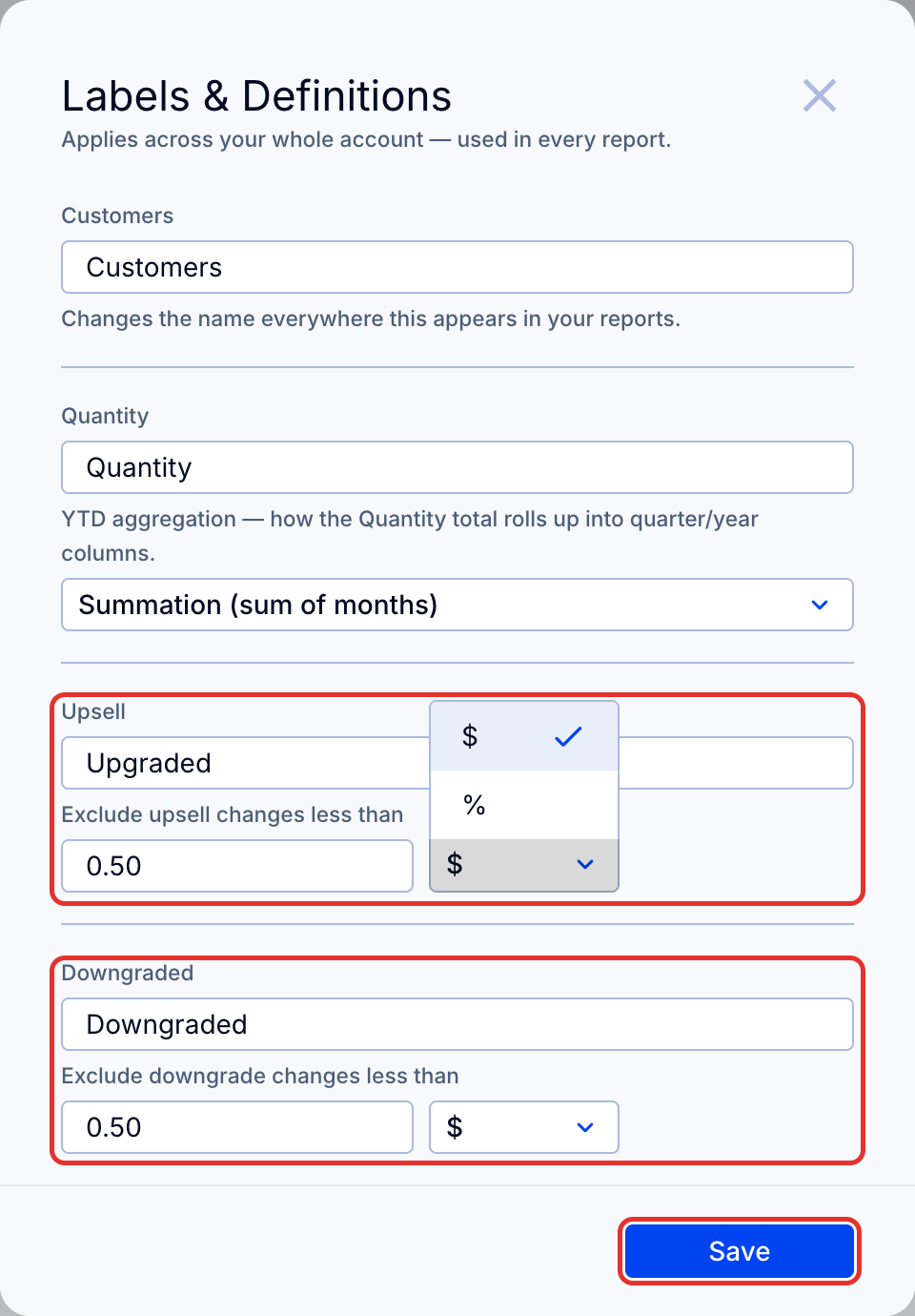
Set thresholds so that small upsell and downgrade changes are excluded from upgraded and downgraded customer revenue. Changes apply across your whole account, in every report.
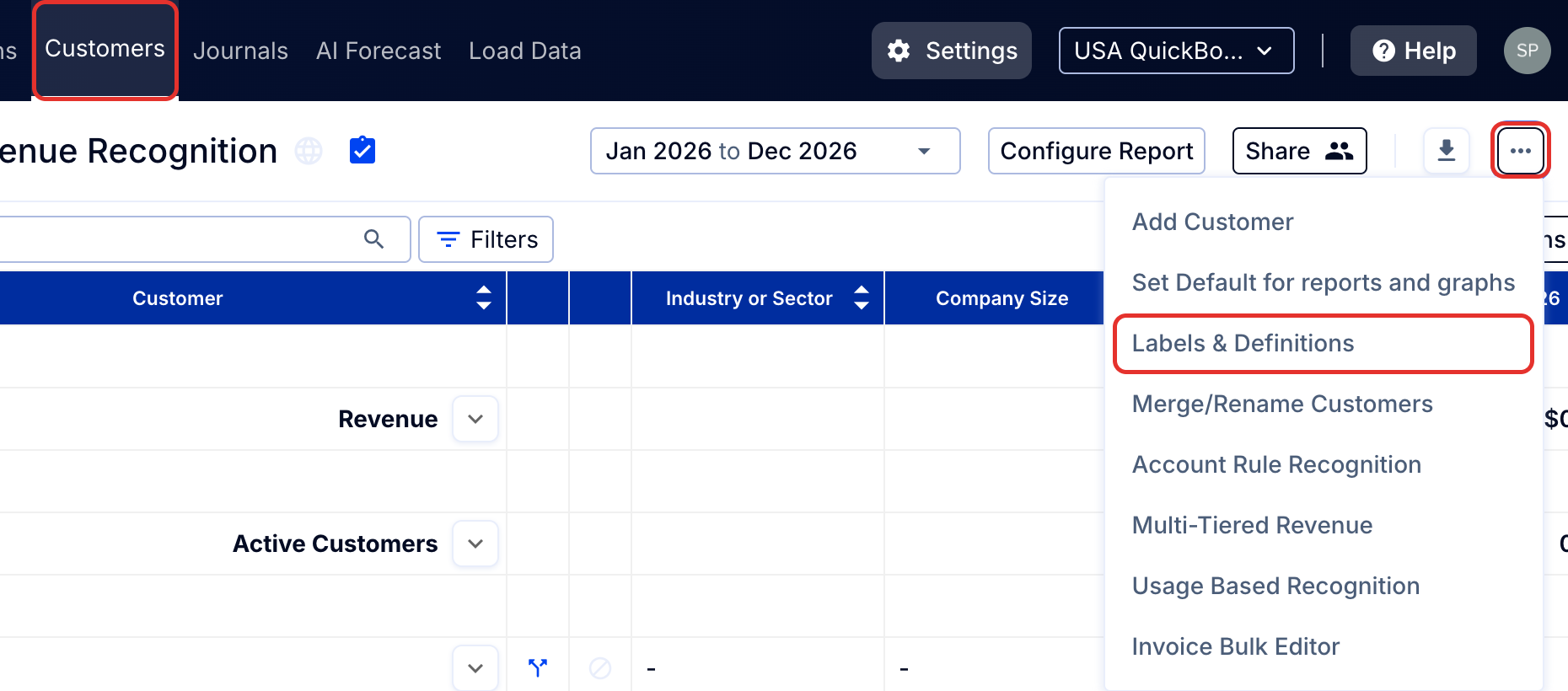
- On the Customers tab, click the three dots button at the top right of the page and select Labels & Definitions from the dropdown menu.
- Under Upsell and Downgraded, type the amount in Exclude upsell changes less than or Exclude downgrade changes less than, and choose $ (a value) or % in the dropdown next to it.
- Click Save.
Tip: To change definitions to include a full month view, see How to show a full month view of revenue (as used for MRR).