Create your contracts, then view and manage them on the Contracts page.
Before you start
- Set up your initial CRM connection and mapping. See CRM integration: How to map CRM data in ScaleXP.
- For an overview of ScaleXP's CRM integration, see An overview of subscription management and renewal tracking in ScaleXP: Getting started with CRM integration.
1. Create your contracts
There are three possible ways to create a contract in ScaleXP:
- Automatically via ScaleXP Invoicing
- By matching CRM deals to accounting invoices in Invoice Matching - see Invoice matching: How to create contracts linked to invoices and CRM deals
- By adding manually and attaching to invoices on the Contracts page; see How to add a contract.
Note: If you are using ScaleXP Invoicing, these contracts will be set up automatically for you.
2. View your contracts
Before they can be viewed, contracts must be created using one of the three methods described above.
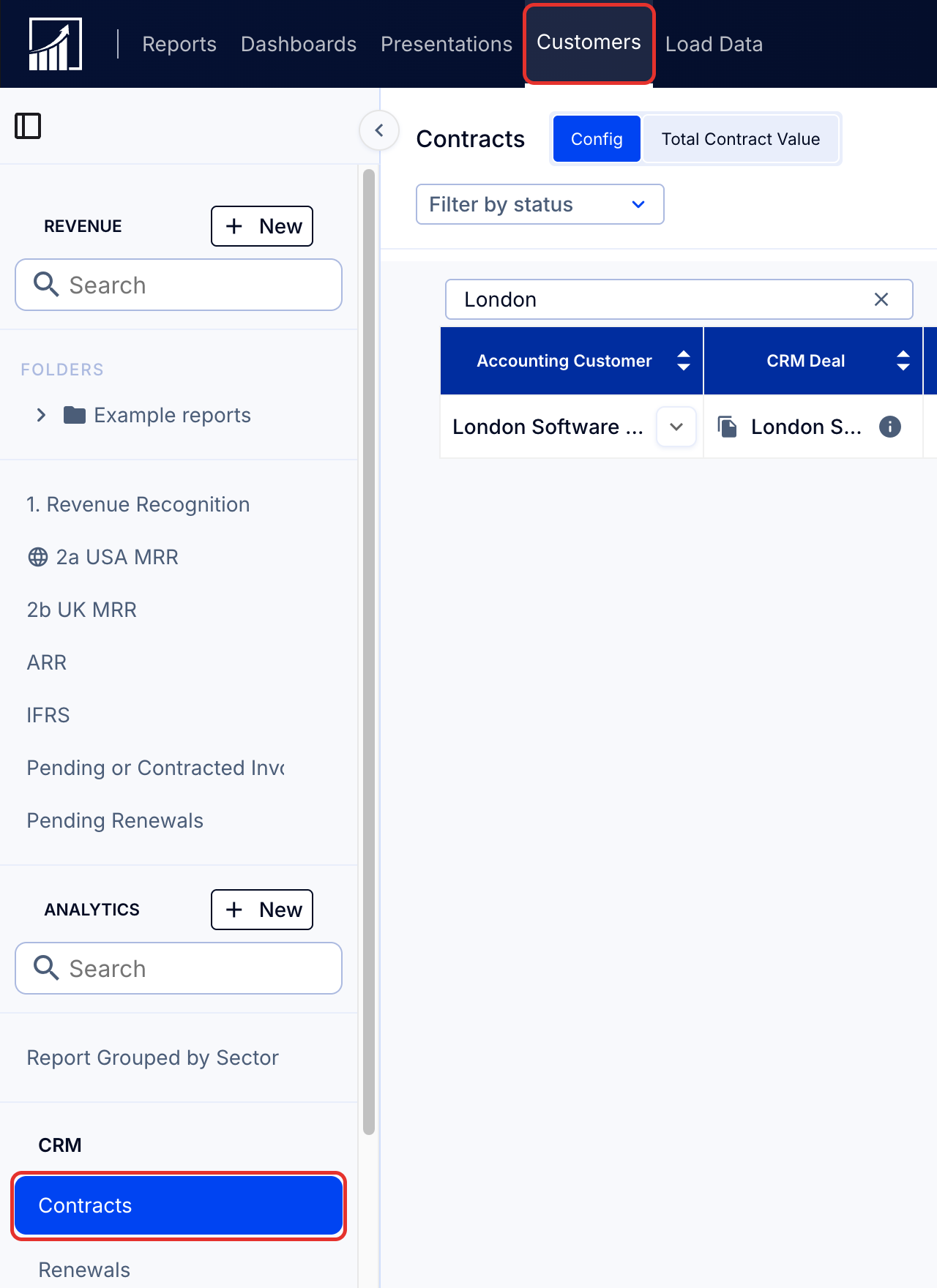
- Go to Customers (top navigation menu) > Contracts (left sidebar). Here you'll see a list of existing contracts, which you can filter by Customer or by Contract Status.
- Save your filtered view using Save filters (right side of page).
- Use Configure Columns (right side, below Save filters) to select the columns you wish to view on the page.
3. Manage your contracts
To find out how to edit your existing contracts:
- if using ScaleXP Invoicing see Updating contracts: How to change contracts (using ScaleXP Invoicing).
- if not, see Updating contracts: How to change contracts (without ScaleXP Invoicing)
Once you have created your contracts, you are ready to manage your renewals schedule. See View and manage your renewals schedule.
What is a contract in ScaleXP?
Contracts in ScaleXP hold information about an individual customer deal or subscription and its invoicing, for example:
- contract start date
- contract end date
- past invoices
- future invoices
- associated accounting customer
- billing term
- billing frequency
Contracts reflect the entire invoice schedule for a contract with your customer. Contracts support management of renewals and sales forecasts in ScaleXP.