Set fixed rates for converting your budgets between currencies on the Budget FX Rates page.
1. Set budget FX rates
- Go to Load Data (top bar) > Budget FX Rates (left sidebar).
- Choose the date range and the currency the rates are against.
- Click a cell, type a rate and press Enter.
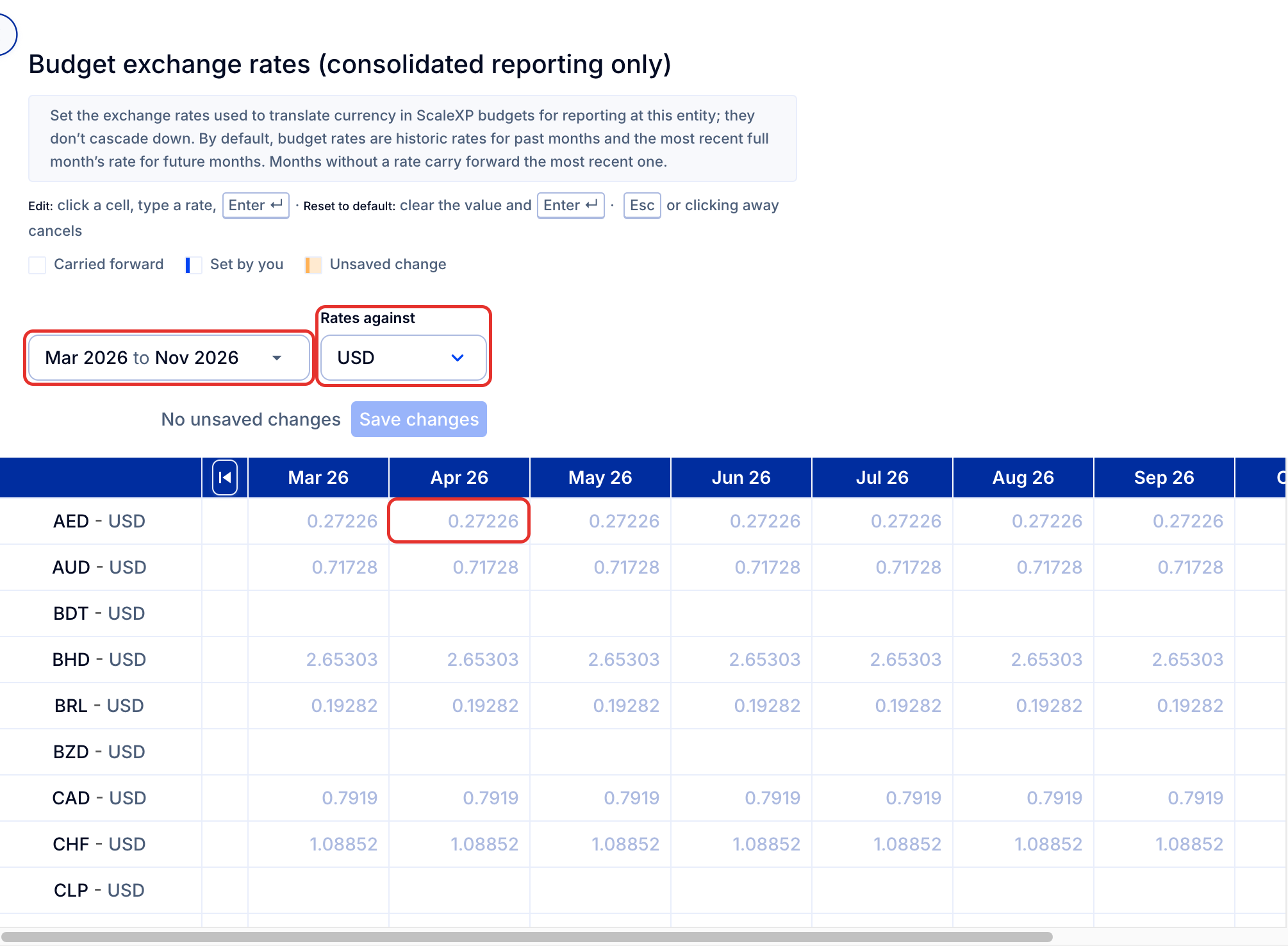
- Click Save changes when you are done.
Tip: To reset a cell to the default, clear the value and press Enter.
How it works
By default, budget rates are historic rates for past months and the most recent full month's rate for future months. Months without a rate carry forward the most recent one. Rates apply to reporting at the entity where you set them; they don't cascade down to subsidiaries.
To see currency exchange rates for actuals, go to Load Data > Actuals FX Rates, as discussed in FX Rates: What foreign exchange rate is being used?.