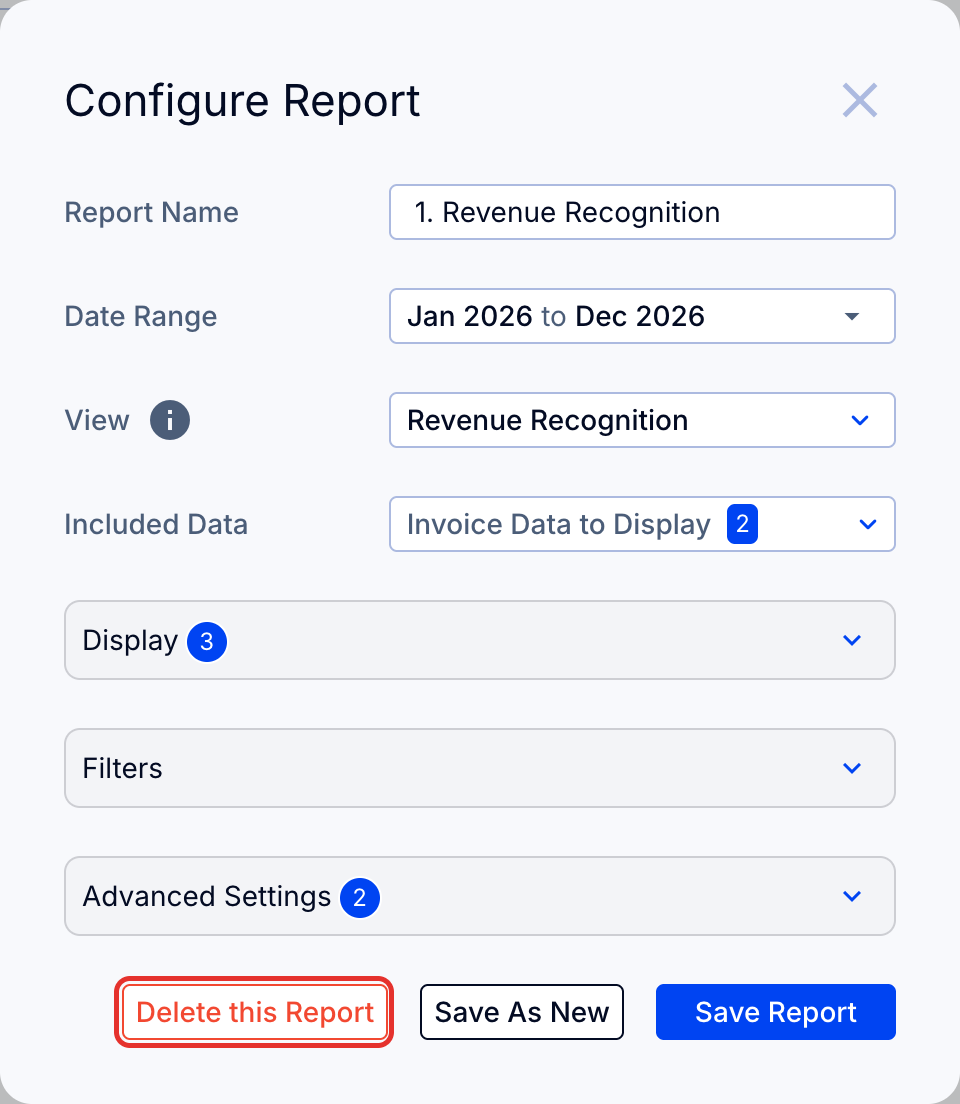
Delete a Customers tab report with Delete this Report at the bottom of its Configure Report menu.
1. Delete a report
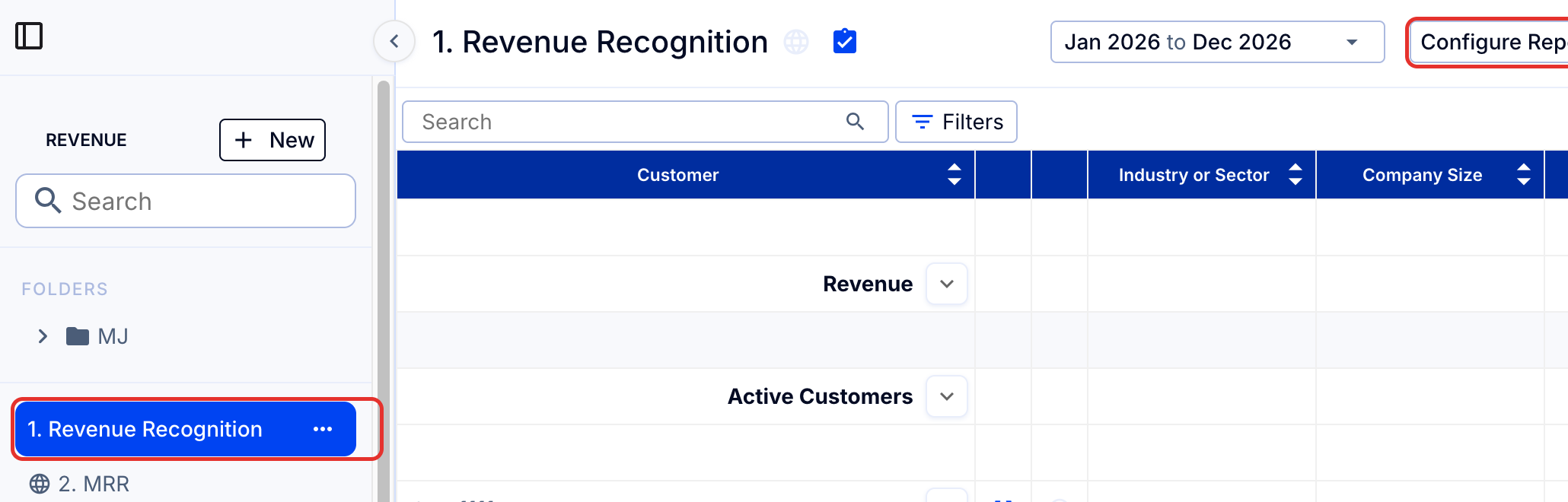
- Select the report to be deleted in the left sidebar.
- Click Configure Report at the top right.
- Click Delete this Report, at the bottom of the menu.