To report invoices issued under different customer names as a single customer, merge the two customers on the Customers tab.
1. Merge two customers
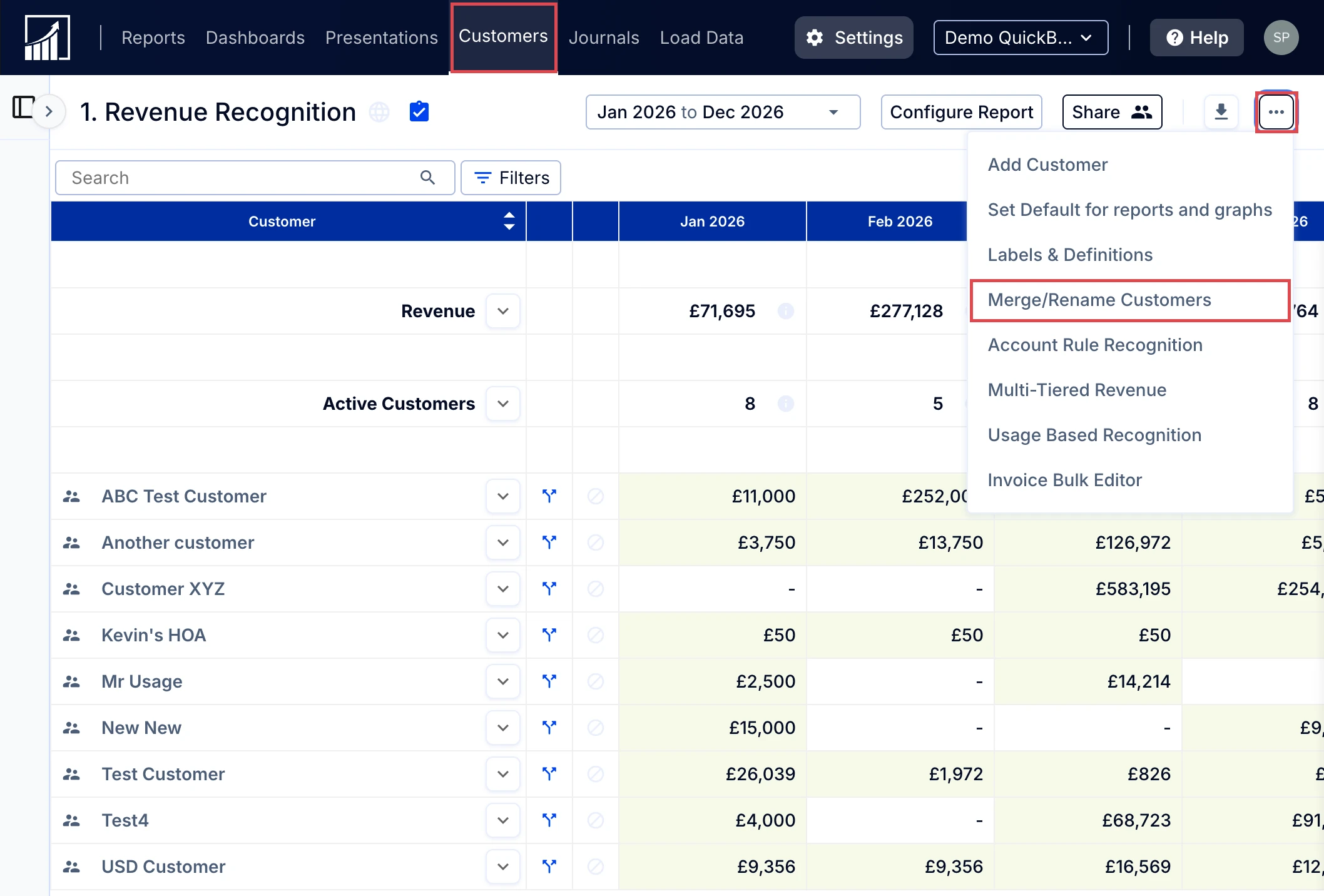
- Go to the Customers tab, open the More options menu (three dots) at the top right and select Merge/Rename Customers.
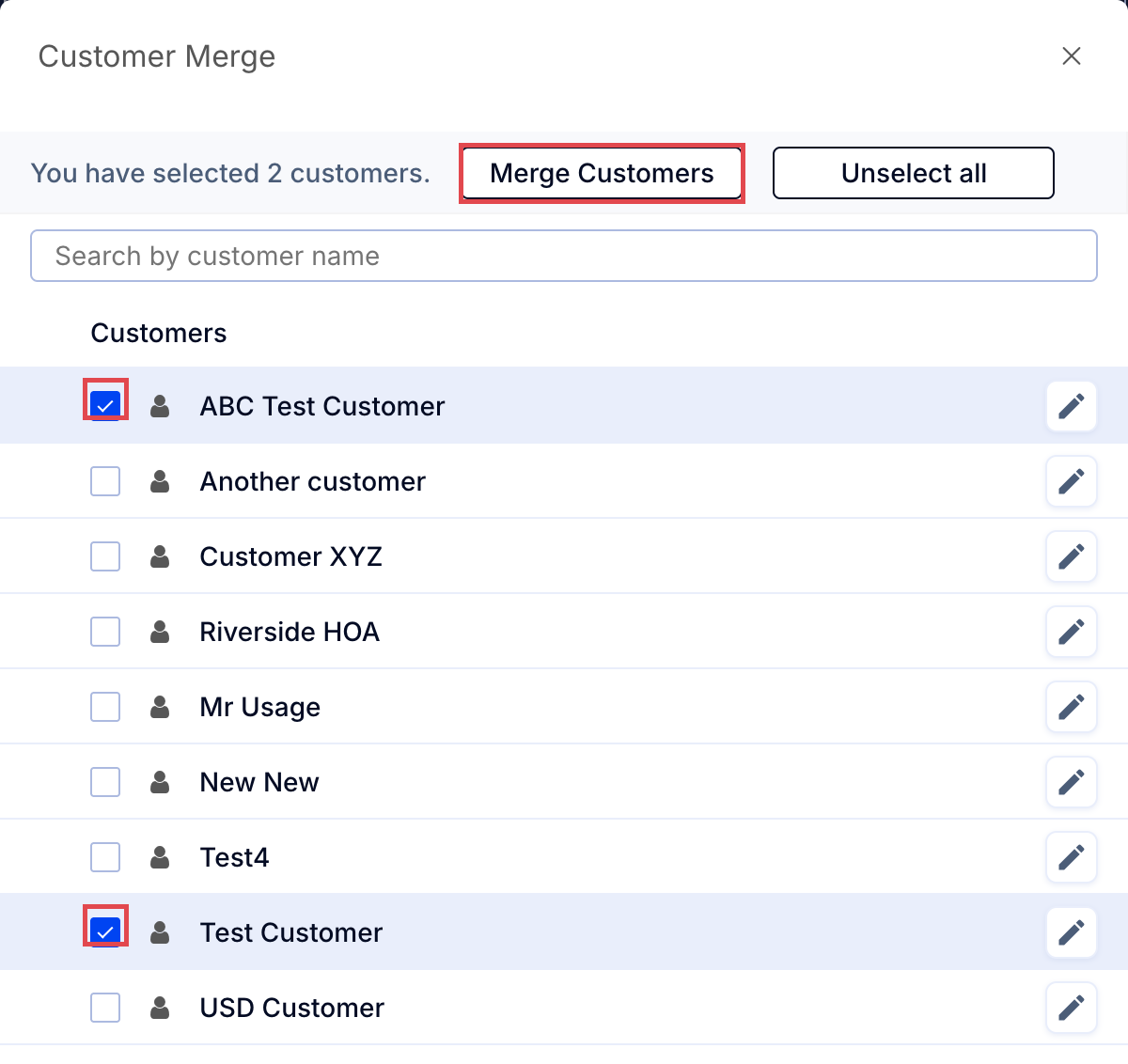
- Check the boxes to the left of the two customers you wish to merge. Only two customers can be merged at one time. The second customer you select will be the name that survives the merge - the first will be nested under that one.
- Click Merge Customers.
To unmerge, see How do I unmerge customers?.