Use Option 1, adding the bill in your accounting system, where you can (recommended). Use Option 2 and create a manual bill in ScaleXP when, for example, the bill was issued before your import start date.
Note: To add a manual adjustment (not a missing cost), see How to add a manual adjustment to costs.
Option 1: Add the bill in your accounting system (recommended)
The best way to ensure full synchronization with your accounting system is to add any missing supplier invoices directly to the accounting system as a new bill, or to import bank transactions:
- On Load Data, click the three dots next to your accounting connection.
- Select Configure.
- Open Advanced settings, turn on Bank transactions and choose the month in Import bank transactions from.
See How to include all expenditure (not just bills) in your cost recognition reports.
Option 2: Add a manual bill in ScaleXP
- Go to Journals > Month-End Close and open New Supplier Bills.
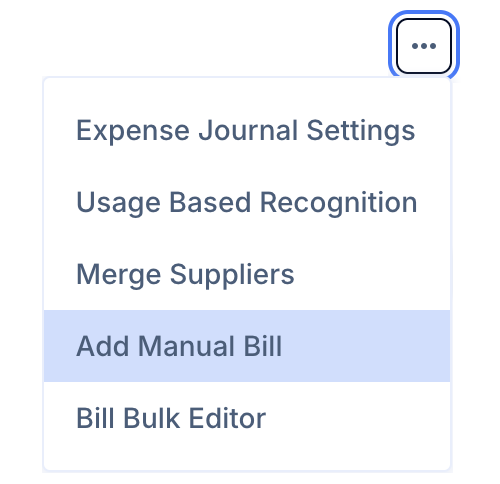
- Click the three dots at the top right and select Add Manual Bill.
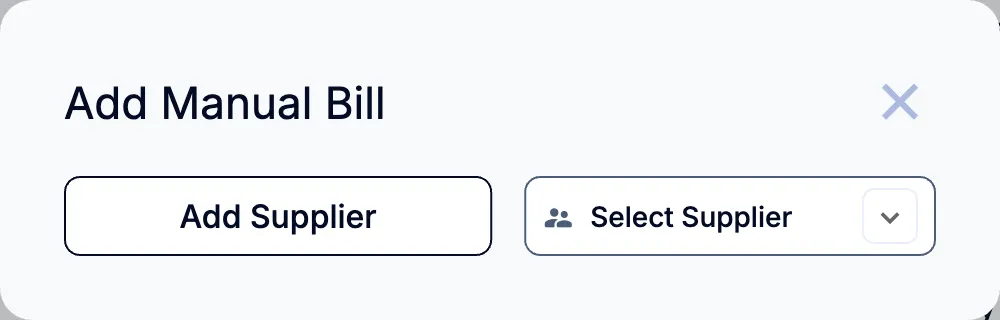
- Click Select Supplier to choose an existing supplier, or Add Supplier to create a new one.
- Enter the bill number, bill date, and line details, then click Save.