Hide any series in a dashboard chart to focus on the rest, and show it again with one click.
1. Hide a series
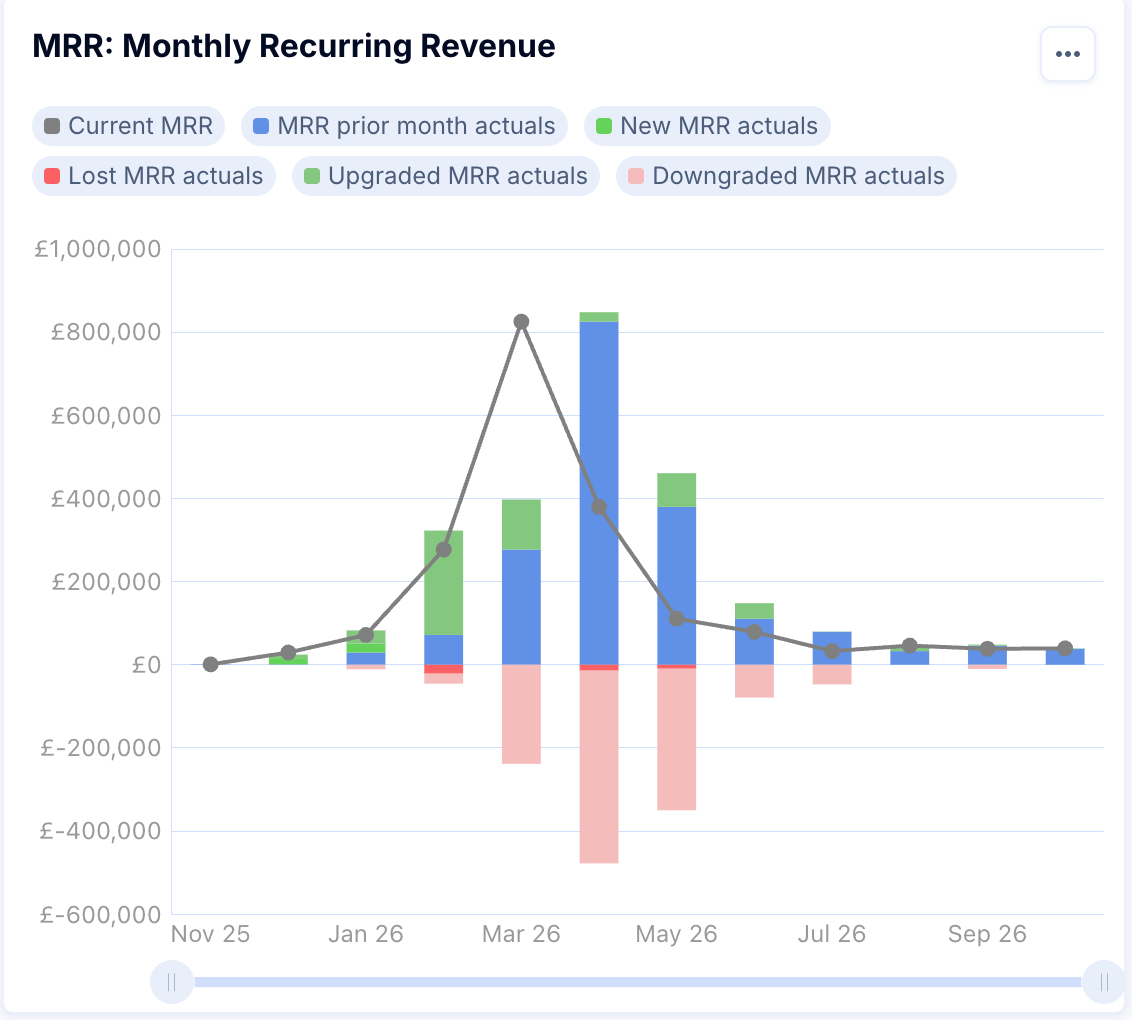
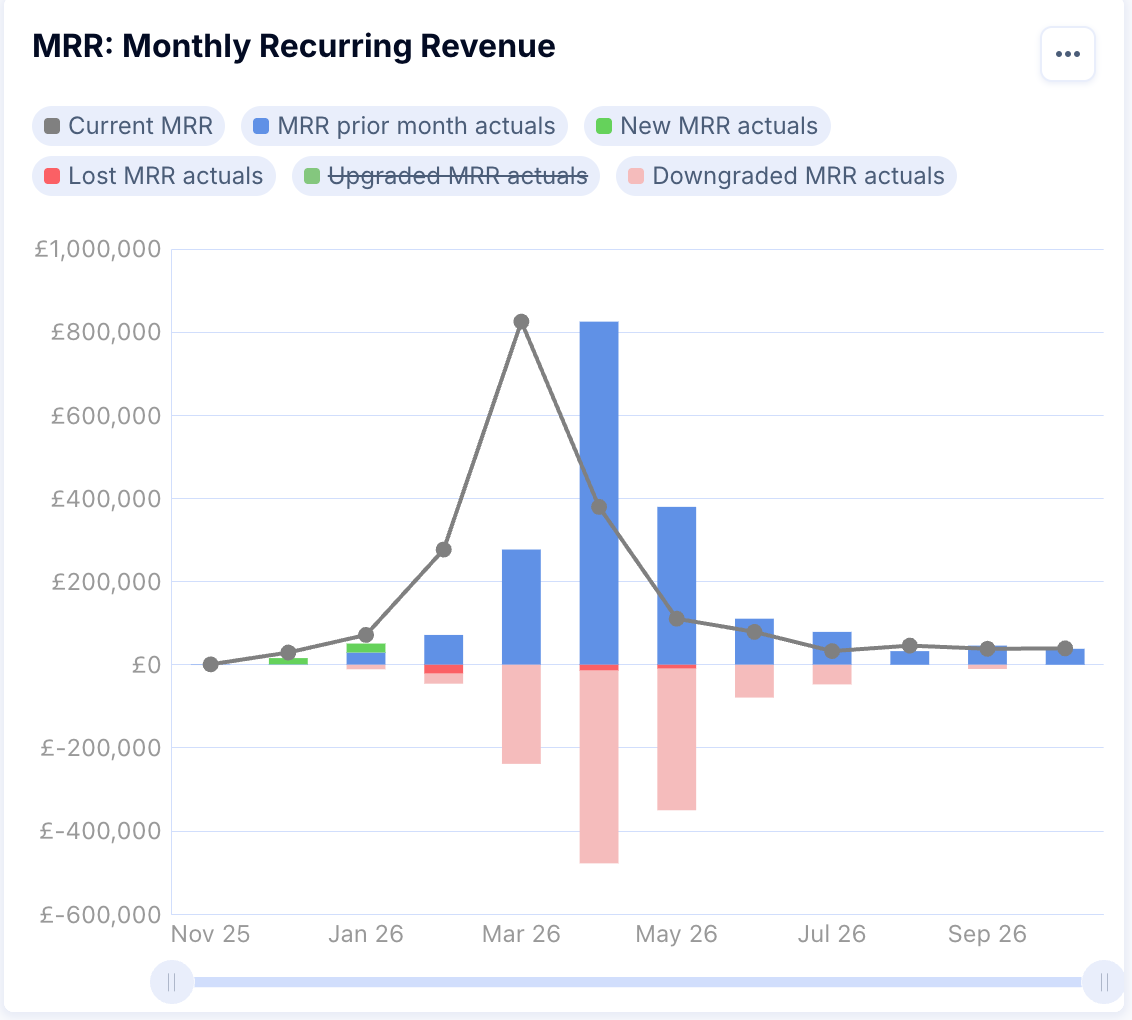
- Click the series name in the chart legend. The series disappears from the chart and its name is struck through in the legend.
2. Show it again
- Click the struck-through name. The series returns to the chart.
Tip: To remove a series from the chart altogether, open Configure Chart from the three dots at the top right of the chart.