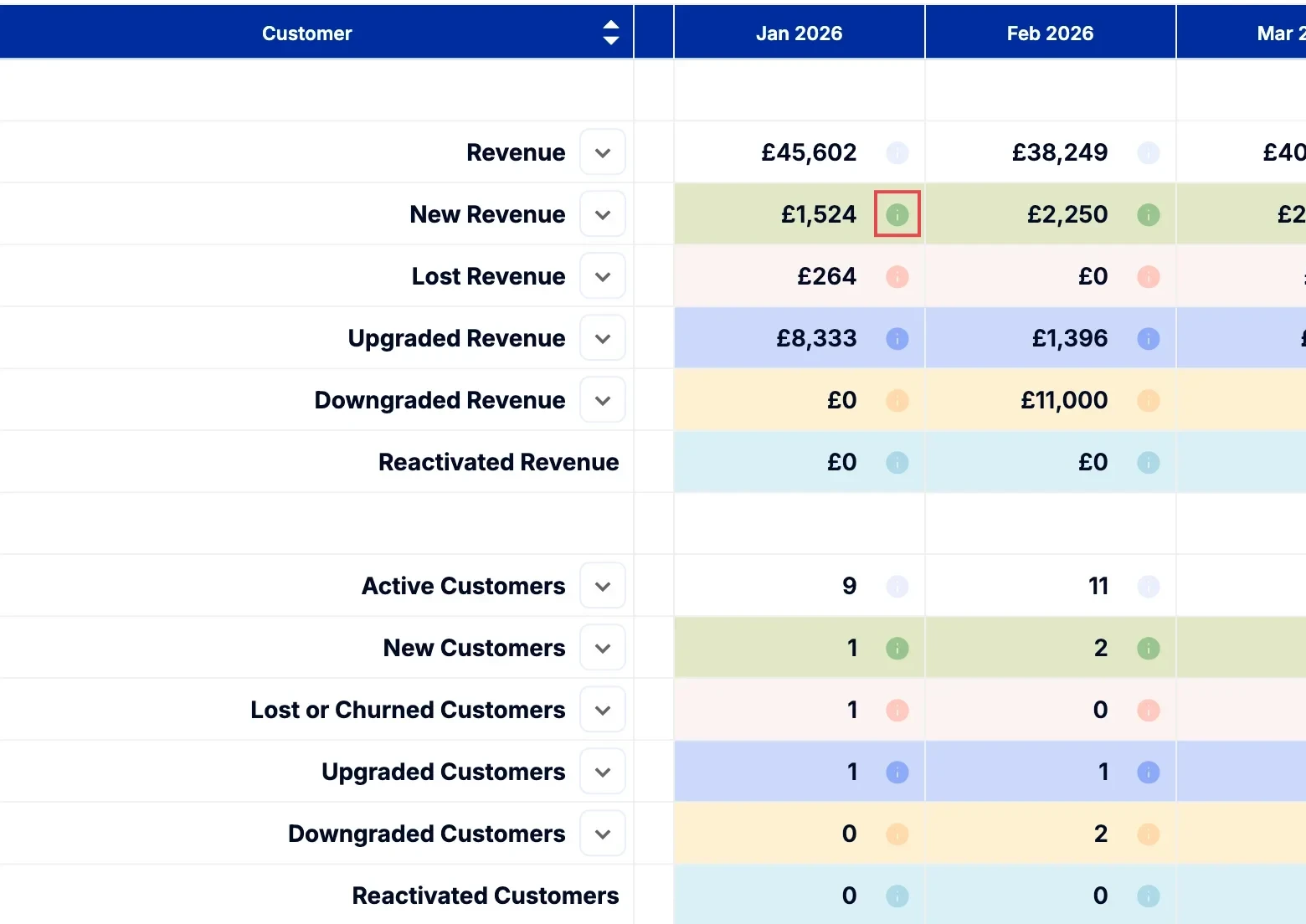
The tables at the top of the Customers page summarize total accounting revenue and customer count for the month, color-coded by type of change.
Customers page reports: Available information
The tables at the top of the Customers page summarize the total accounting revenue and customer count for that month (or full-month revenue / customer count if this option is selected).
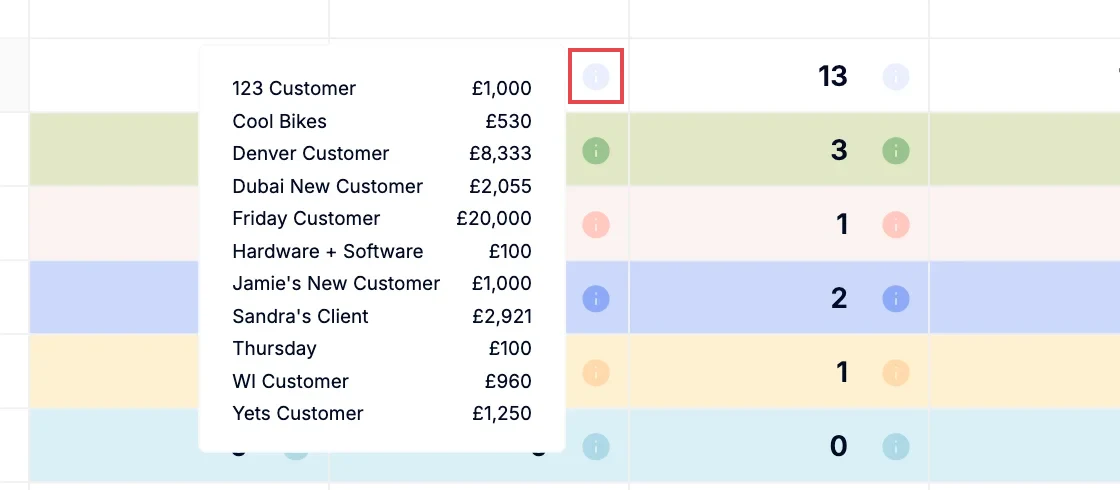
To see which customers are included in any revenue amount or customer count on the Customers page, click the i next to the revenue numbers or customer counts for a breakdown by customer.
Customers page color coding meanings
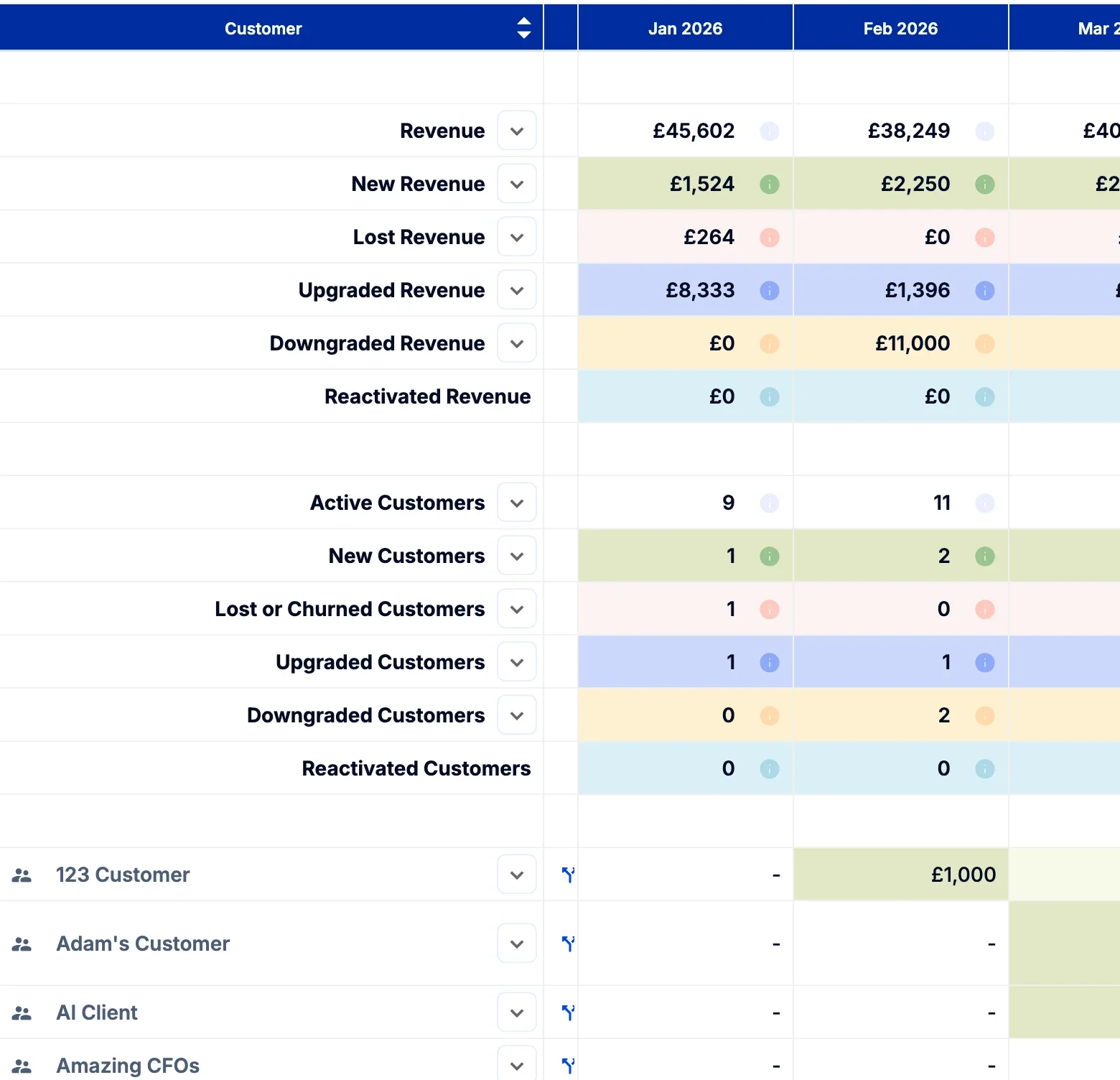
The customers in the summary and also the detail by customer below are color-coded as follows:
- Green: New Revenue; New Customers
- Red: Lost Revenue; Lost or Churned Customers
- Blue: Upgraded Revenue; Upgraded Customers
- Amber (orange): Downgraded Revenue; Downgraded Customers
- Turquoise (cyan): Reactivated Revenue; Reactivated Customers
Rules used to calculate customer numbers
Two report settings affect these numbers. Find them in Configure Report under Advanced Settings:
- Count a customer as lost after no revenue for: how many months in a row a customer can have no revenue before they count as lost or churned (1 to 23 months).
- Reactivated before: how long a customer can go without revenue and still count as reactivated, rather than new, when they return (up to 48 months).
Each report has its own settings. Click Save Report to apply a change.
- Revenue: The total revenue from all customer invoices in the revenue categories selected by filter. This includes customer credit notes as well as customer income.
- Active Customers: Customers with revenue over 0.50 (in your currency) in the current month, or in any month within the lost period (Count a customer as lost after no revenue for). With that set to 1 month, this is customers with revenue in the current month. A month with a credit balance does not count as revenue.
- New Customers: Customers with revenue this month and no revenue in the Reactivated before period. For example, with Reactivated before set to 24 months, a customer is new if they have had no revenue for 24 months or more.
- New Revenue: The revenue from new customers in the current month.
- Lost or Churned Customers: Customers who had revenue, then had none for the number of months set in Count a customer as lost after no revenue for. A customer who moves from revenue to a credit balance counts as lost or churned. A customer who moves from a credit balance to nil does not.
- Lost Revenue: The customer’s revenue in their last month with positive revenue.
- Upgraded Customers: Customers whose revenue increased versus the previous month.
- Upgraded Revenue: The amount of the increase versus the previous month.
- Downgraded Customers: Customers whose revenue decreased versus the previous month and who still have revenue. A drop to nil or a credit balance counts as lost or churned, not downgraded.
- Downgraded Revenue: The amount of the decrease versus the previous month.
- Reactivated Customers: Customers who were lost or churned and then had revenue again within the Reactivated before period, counted from their last month of revenue.
- Reactivated Revenue: The revenue from reactivated customers in the current month.
Increases and decreases smaller than 0.50 (in your currency) are not counted as upgrades or downgrades. To change this amount, or rename these rows, click the three dots at the top right of the Customers page and select Labels & Definitions.
For more on new versus reactivated customers, see How to change the definition of a reactivated customer vs a new customer.
Understanding customer movements month to month
Each month, active customers move as follows:
Active Customers = last month’s Active Customers + New Customers + Reactivated Customers - Lost or Churned Customers
Remember to include reactivated customers when you check this. They add to active customers, but are not counted as new customers.