Create your own fully customized metrics in the Metric Library to select and reuse throughout ScaleXP.
1. Create a new metric
- Click Settings (top bar, right side).
- Click Metric library (left sidebar).
- Search for a relevant metric.
- If what you're looking for doesn't exist, click Create new metric.
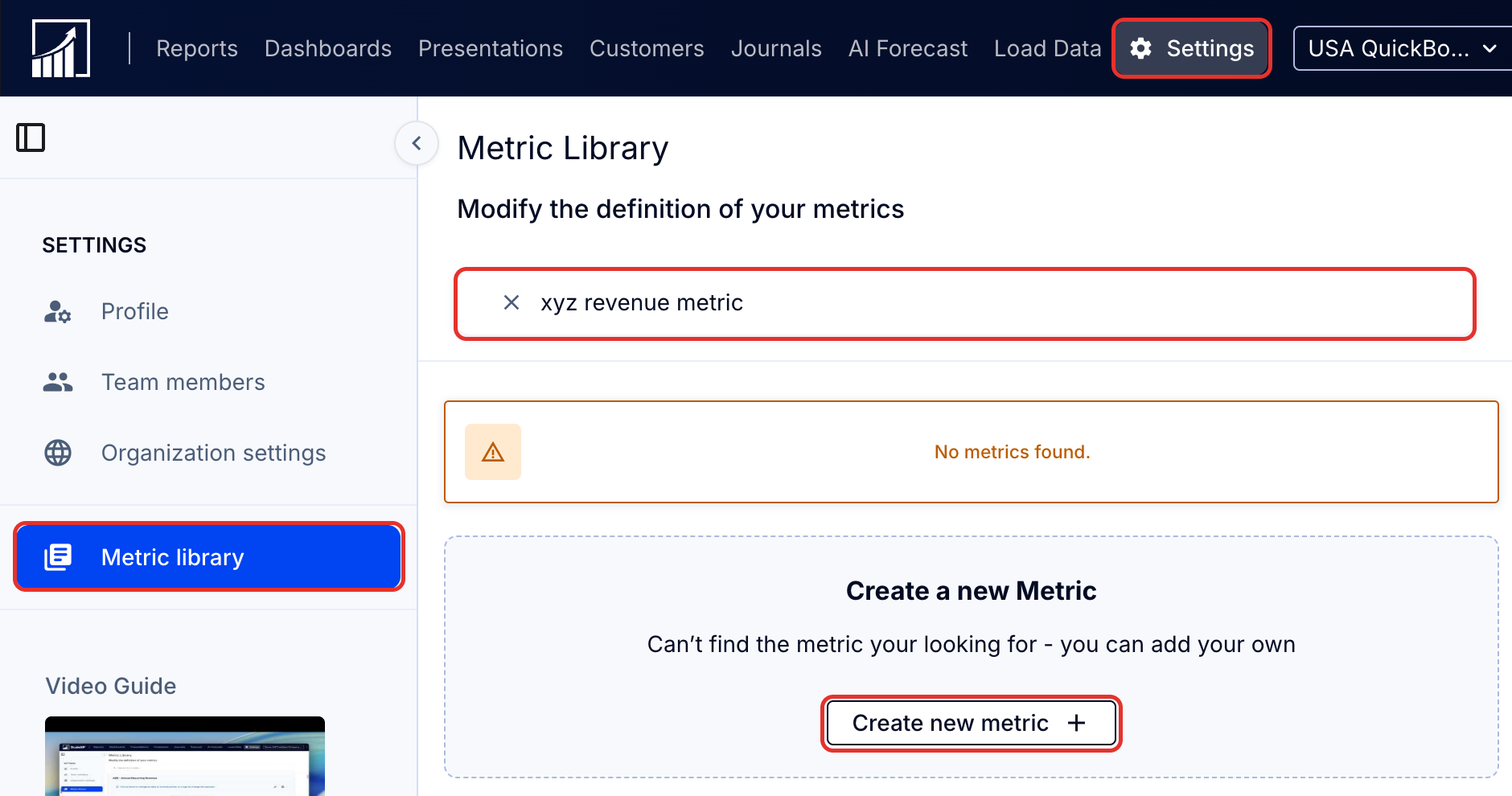
Note: The Create new metric button only appears after you have searched for a metric.